
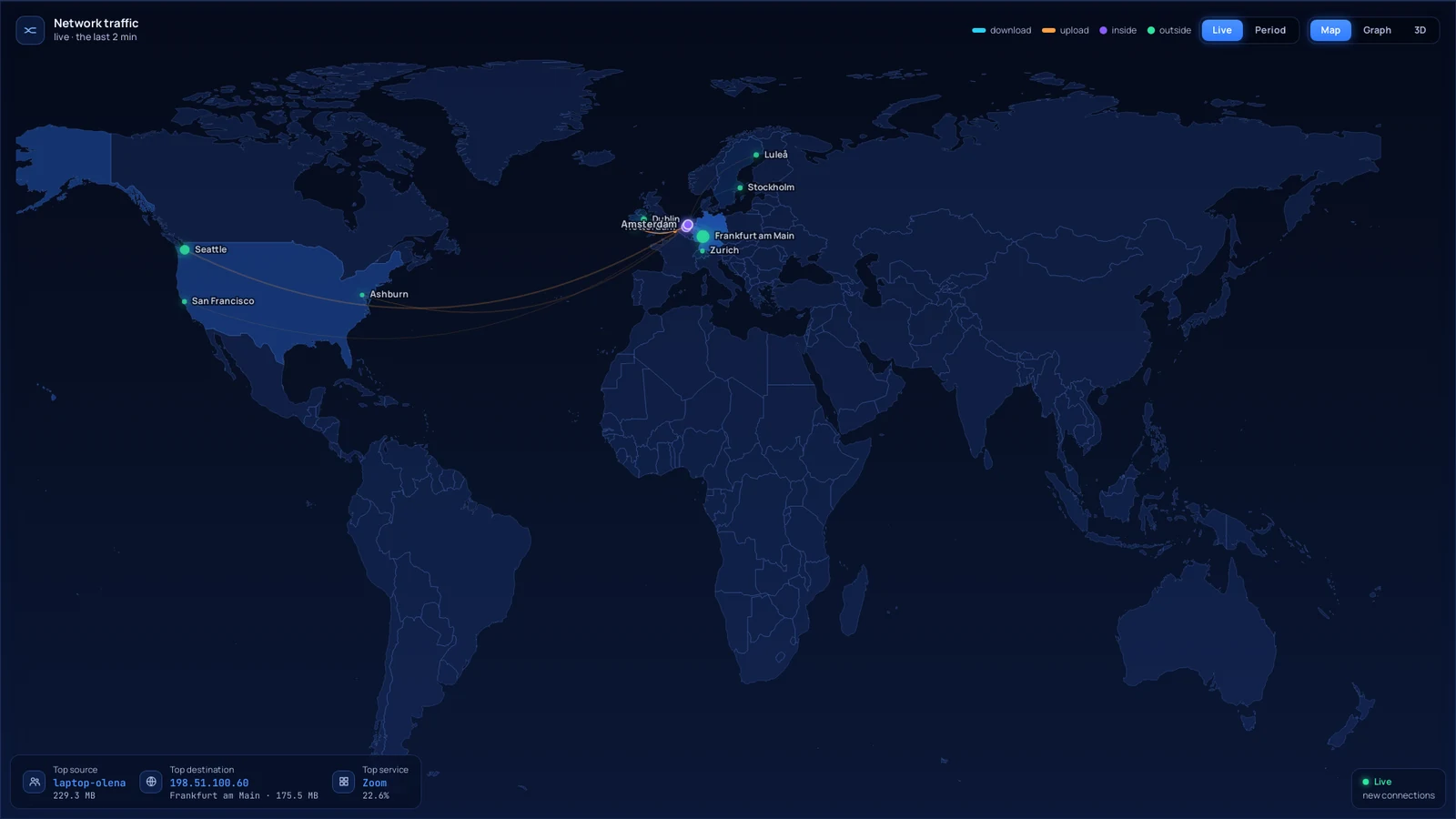
A wall screen needs one panel, big, all the time. FlowSphera gives every panel a link that opens it that way.
1. Make a user for the screen
In Settings → Users add a user with the role Viewer: it can see everything and change nothing. Sign in with it once in the screen's browser; the sign-in lasts 7 days and is renewed while the screen is on.
2. Copy the link
Open the page you want — Overview for the map or the 3D globe, Flows for the exchange of inside and outside addresses, any list — set the period and the filters, and open the panel full screen (the button beside its title). Press Link for a screen: the link is copied. It looks like
https://flowsphera.example:3030/#v=overview&r=1h&kiosk=1&max=heroSeckiosk=1hides the menu, the top bar and the filters;max=…is the panel that fills the window;- add
&spin=0and the 3D globe stays still.
3. Start the screen with it
Start the screen's browser in its kiosk mode with the link, e.g. on Linux
chromium --kiosk --noerrdialogs "https://flowsphera.example:3030/#v=overview&r=1h&kiosk=1&max=heroSec"and put the same command in the computer's autostart. After a reboot or a power cut the screen comes back by itself, with the same panel. The data refreshes as on any page — the live map every few seconds, lists every minute.
Tips
- One link per screen: the map on one, Events on another.
- The period in the link stays: Last hour keeps showing the last hour.
- On a phone or a desk the same link works too; without
kiosk=1it is an ordinary page. - (2.12) A list — Countries, Top hosts, Top conversations, Autonomous systems, Recent flows — fills the screen's height with as many rows as fit, whatever the screen's size.
- (2.11) The Overview's panels travel in the link too (
ov=…): choose what the Overview shows, then copy the address.
Next: read the flows · security events.
Questions
Does the screen need a login after a reboot?
No, as long as the browser keeps its cookies: the sign-in lasts 7 days and is renewed while the screen is on.
Can I stop the globe turning?
Yes: add &spin=0 to the link.