
FlowSphera runs on your own Linux server: a physical machine, a virtual machine or a small box in the rack. Your routers, firewalls and switches send it NetFlow, IPFIX or sFlow; it stores the records and shows them in a web interface. Nothing leaves your network.
1. Prepare the server
- Linux with systemd: Debian or Ubuntu (apt), Fedora, RHEL, Rocky or Alma (dnf); x86_64 or arm64.
- Reachable by your devices over UDP — NetFlow and IPFIX use port
2055, sFlow6343— and by your browser over HTTPS (port3030by default). - Internet access during the installation (packages, Docker, the free DB-IP GeoIP databases) and once a month for the GeoIP refresh. The flow data itself never leaves the server.
2. Run the installer
Log in to the server and run:
curl -fsSL https://raw.githubusercontent.com/telesphera/flowsphera/main/install.sh | sudo bashNo curl on the host (a fresh Ubuntu Desktop, for example)? Use wget; the installer then installs curl itself:
wget -qO- https://raw.githubusercontent.com/telesphera/flowsphera/main/install.sh | sudo bashThe installer speaks English or Ukrainian. It installs Python, Docker if it is missing (it asks first), the ClickHouse database in Docker and the GeoIP databases.
3. Answer a few questions
Every question has a default — Enter accepts it:
- The License Agreement (a new installation only): the installer shows the address of the FlowSphera License Agreement and asks you to accept it; nothing is installed without it.
- Ports for NetFlow/IPFIX and for the web interface. A busy port is detected and the next free one is offered.
- Your exporter: its vendor, its IP address and its internet (WAN) interface. This only prepares the configuration you will paste into the device; you can add more devices later in the web interface.
- The administrator's password for the web interface.
- The firewall: whether to open the ports in
ufworfirewalld.
It finishes with the web address, the fingerprint of its self-signed HTTPS certificate and a ready-made configuration
for your device with your addresses filled in. Everything it did is logged to /var/log/flowsphera-install.log.
4. Open the web interface
Open https://<server>:3030 in a browser. The certificate is generated on the server, so the browser warns once —
compare the fingerprint with the one the installer printed and continue. Sign in as admin with the password you set.
5. Send it your first records
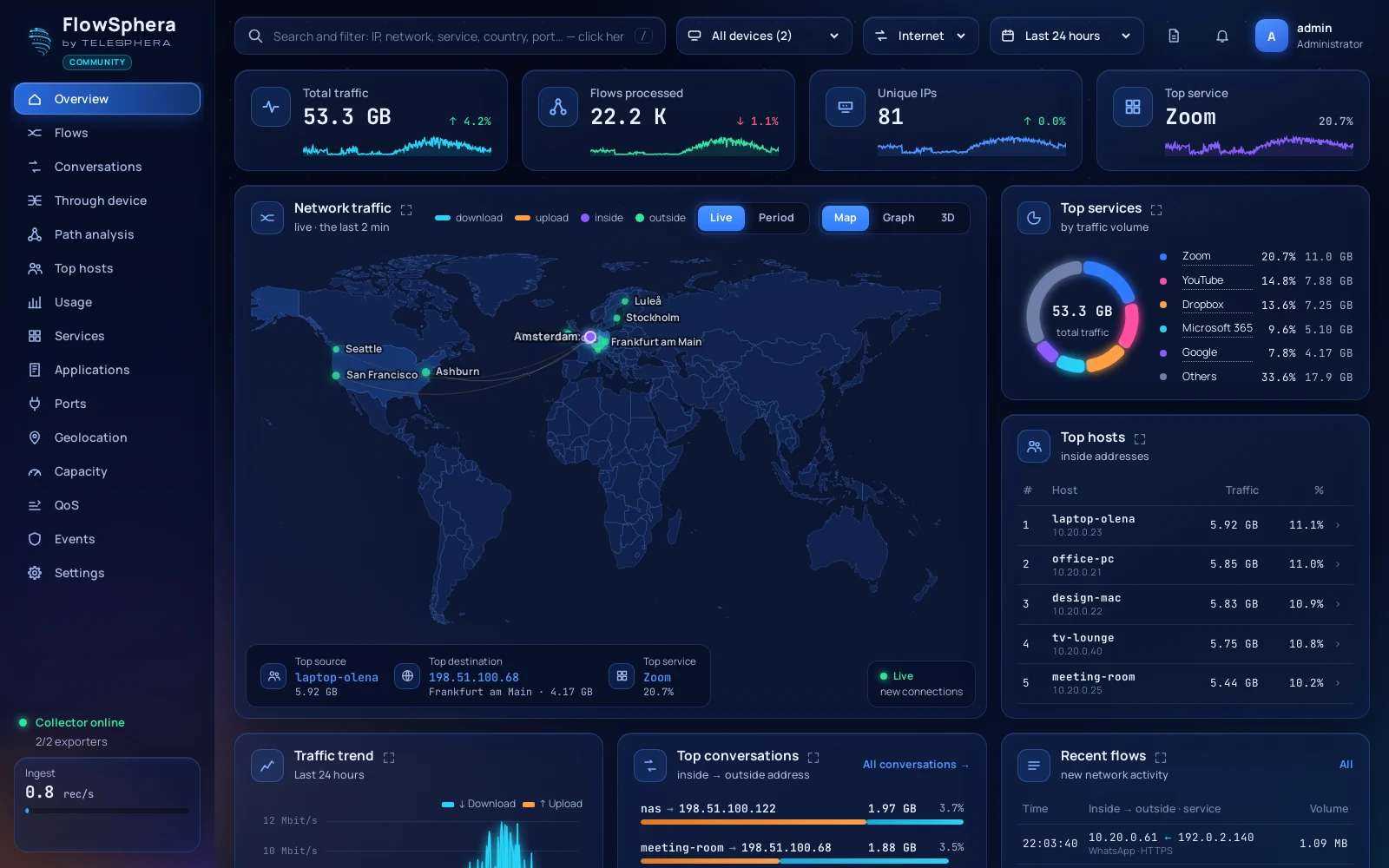
Paste the configuration the installer printed into your device, or follow the guide for it — FortiGate or MikroTik; Settings → Devices → Connect a device shows the commands for every supported vendor. Within a minute of the first records the overview fills in:
Upgrading later
sudo flowsphera upgrade installs the newest version and keeps every setting, user, device, license and all collected
data. The version you run is at the bottom of every page.
Questions
Is FlowSphera free?
Yes. The Community edition has every feature; it is limited to 5,000 records a second and keeps 30 days of flow details. A license raises only those two limits.
Can I install it without answering questions?
Yes: sudo FT_ADMIN_PASSWORD=… FT_VENDOR=Fortinet FT_EXPORTER_IP=192.0.2.1 bash -s -- --yes --accept-eula after the same curl pipe installs unattended. Without a password it generates one and shows it at the end.
Does it run on a Raspberry Pi?
It needs a 64-bit ARM CPU of ARMv8.2 or newer (the database uses newer instructions). A Raspberry Pi 4 (ARMv8.0) does not qualify.
Is there a Docker image?
Not yet. FlowSphera itself uses Docker for its database, but is installed as services on the host. A container image is being studied.