
Every page of FlowSphera reads its data from a JSON API; with a token, your scripts and monitoring — Zabbix, Grafana, a billing job — can read the same, with every filter of the search box.
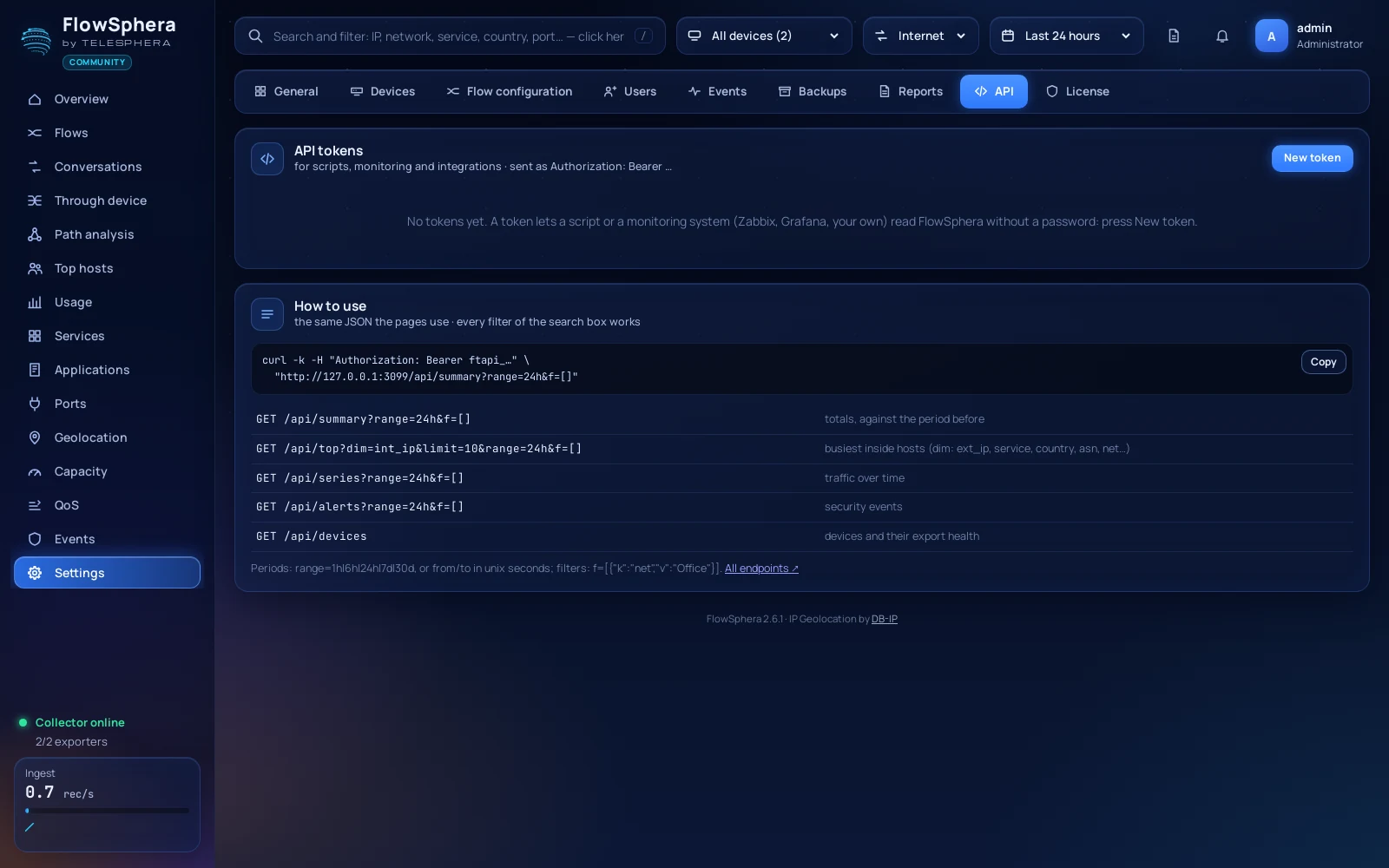
1. Create a token
Settings → API → New token: a name (Zabbix, Grafana, backup script) and what it may do — read, or write for a script that also changes settings. The token is shown once: copy it then. Only a fingerprint of it is kept.
2. Use it
Send it as a Bearer header:
curl -H "Authorization: Bearer ftapi_…" \
  "https://flowsphera.example:3030/api/summary?range=24h&f=%5B%5D"
The page lists the common requests with their answers: totals against the period before (/api/summary), the busiest
hosts or anything else (/api/top?dim=int_ip), traffic over time (/api/series), security events (/api/alerts), the
devices and their export health (/api/devices). Periods are range=1h|24h|7d|30d or from/to in unix seconds;
filters go in f as JSON, like [{"k":"net","v":"Office"}].
3. Export every host of a network
/api/top?dim=int_ip&limit=all&format=csv with a net: filter returns every host of that network with its upload and
download for the period — ready for Excel or billing.
Keep tokens safe
Give each system its own token, so one can be withdrawn without touching the others; a failed token counts like a wrong password and is blocked after repeated tries. The full list of endpoints is in the API documentation.
Questions
Can a token change settings?
Only a token created with write access, and never the most sensitive settings — users, tokens, the license, data retention, the directory sign-in and a few others need a person signed in.
Does the API work over HTTPS?
Yes, the same address and certificate as the web interface.