
Every packet carries a class (DSCP) that tells the network what to put first — voice before downloads. QoS shows whether your traffic is marked the way you think.
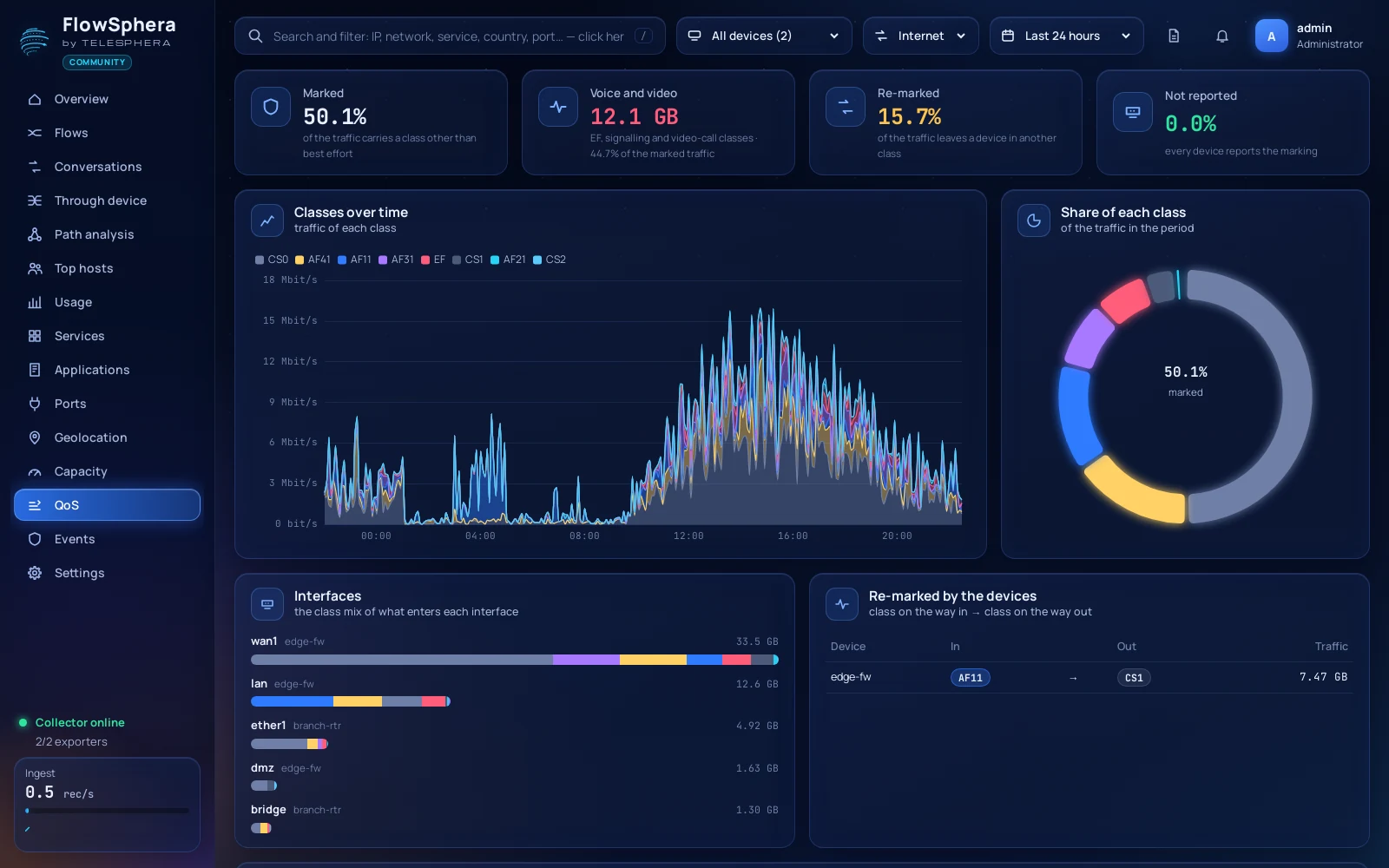
1. Read the cards
Marked — the share of traffic with a class other than best effort. Voice and video — EF, AF4x and the signalling classes. Re-marked — traffic that left a device in another class than it entered. Not reported — devices that do not send the class at all.
2. Look at the classes
Classes over time and Share of each class show what is marked how. A click on a class filters every page:
dscp:EF shows only voice — which services and hosts it really is.
3. Check every interface
Interfaces shows the class mix of what enters each interface — the uplink should carry your voice in EF, not in best effort.
4. See what the devices re-mark
Re-marked by the devices lists the class on the way in and on the way out for each device — a firewall or a provider link that resets your marks shows here.
Questions
My devices show «Not reported».
The device does not include the DSCP field in its records. Most do by default; check the exporter’s template or record settings.
Can I filter by a class?
Yes: dscp:EF, dscp:AF41, dscp:CS1 or the number 0–63 in the search box.