
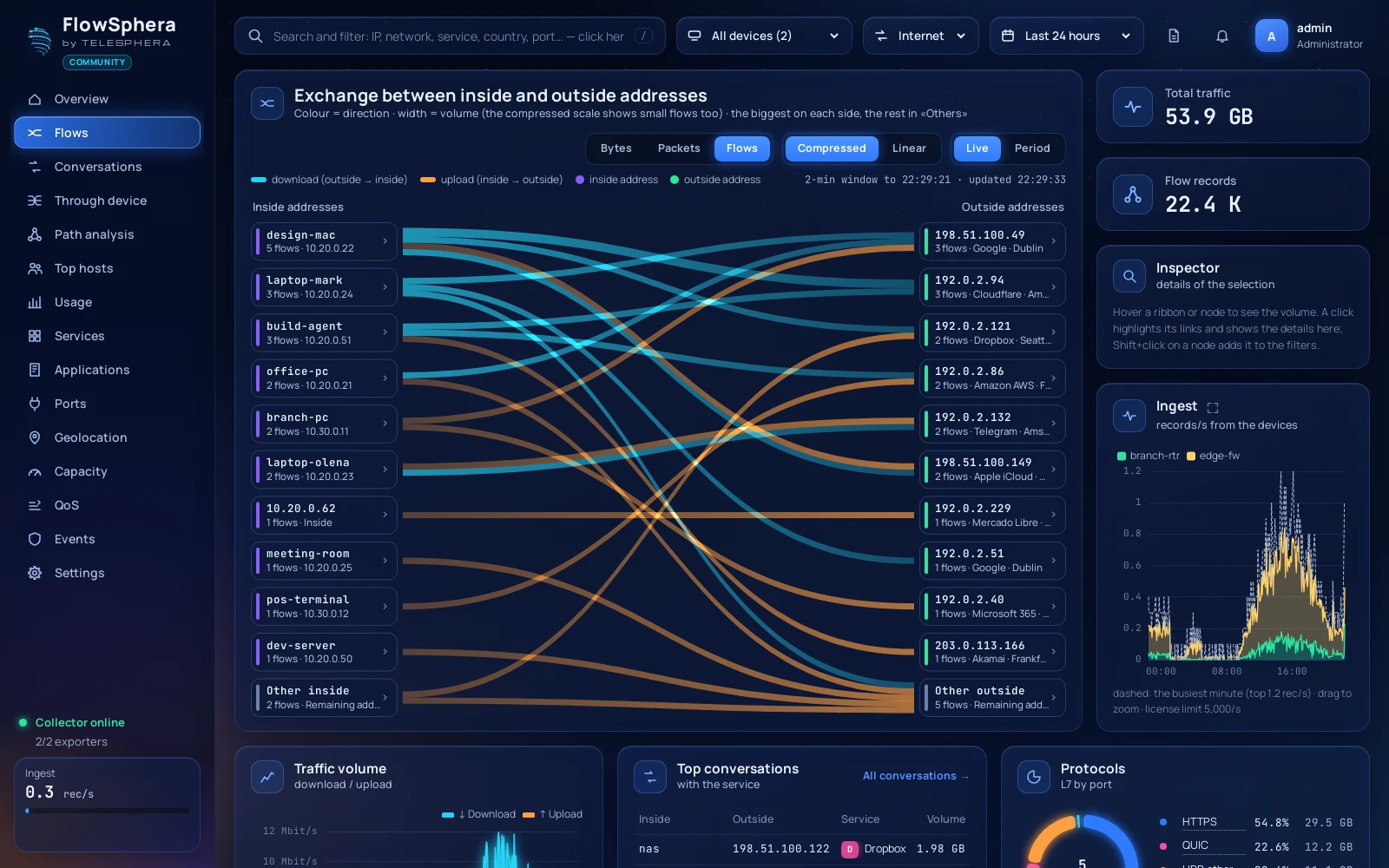
Flows is the page to open when you want to see the traffic itself: your inside hosts on the left, the outside addresses on the right, and a ribbon between them for every exchange — the wider, the more bytes; the colour tells the direction.
1. Choose what the width means
Above the diagram: Bytes, Packets or Flows (sessions). Compressed keeps small exchanges visible next to big ones; Linear draws them to scale. Live shows the last two minutes as they arrive; Period uses the period chosen at the top of the page — from the last 15 minutes to a month, or your own dates.
2. Inspect a ribbon or an address
Point at a ribbon or an address: the Inspector on the right shows the volume, the services and the countries behind it. A click keeps it highlighted with all its links. Shift+click adds it to the filters — every page then shows only that host, address or exchange.
3. Read the panels below
- Traffic volume — download and upload over the period.
- Top conversations — the biggest pairs with their service; All conversations → opens the Conversations page.
- Protocols — the share of HTTPS, QUIC, DNS and the others.
- The records — every flow record with its ports, NAT addresses, owner (ASN), country and the interfaces it crossed.
4. Watch what your devices send
Ingest on the right shows the records per second from each device over the period, the busiest minute and your license limit when traffic comes near it. A scan from the internet or a device that stopped exporting stands out at once; drag across the chart to zoom.
Questions
What does the colour of a ribbon mean?
The direction: download (outside → inside) and upload (inside → outside) have their own colours; traffic between inside networks has a third.
Why do I see «Other inside» and «Other outside»?
The diagram shows the busiest addresses on each side and puts the rest together, so the picture stays readable. Filter by a host or a network to see its own exchanges.
Can I see the raw NetFlow records?
Yes: the records table below the diagram lists them with ports, NAT, ASN, country and interfaces for the filters and period you chose.