
1. Local users
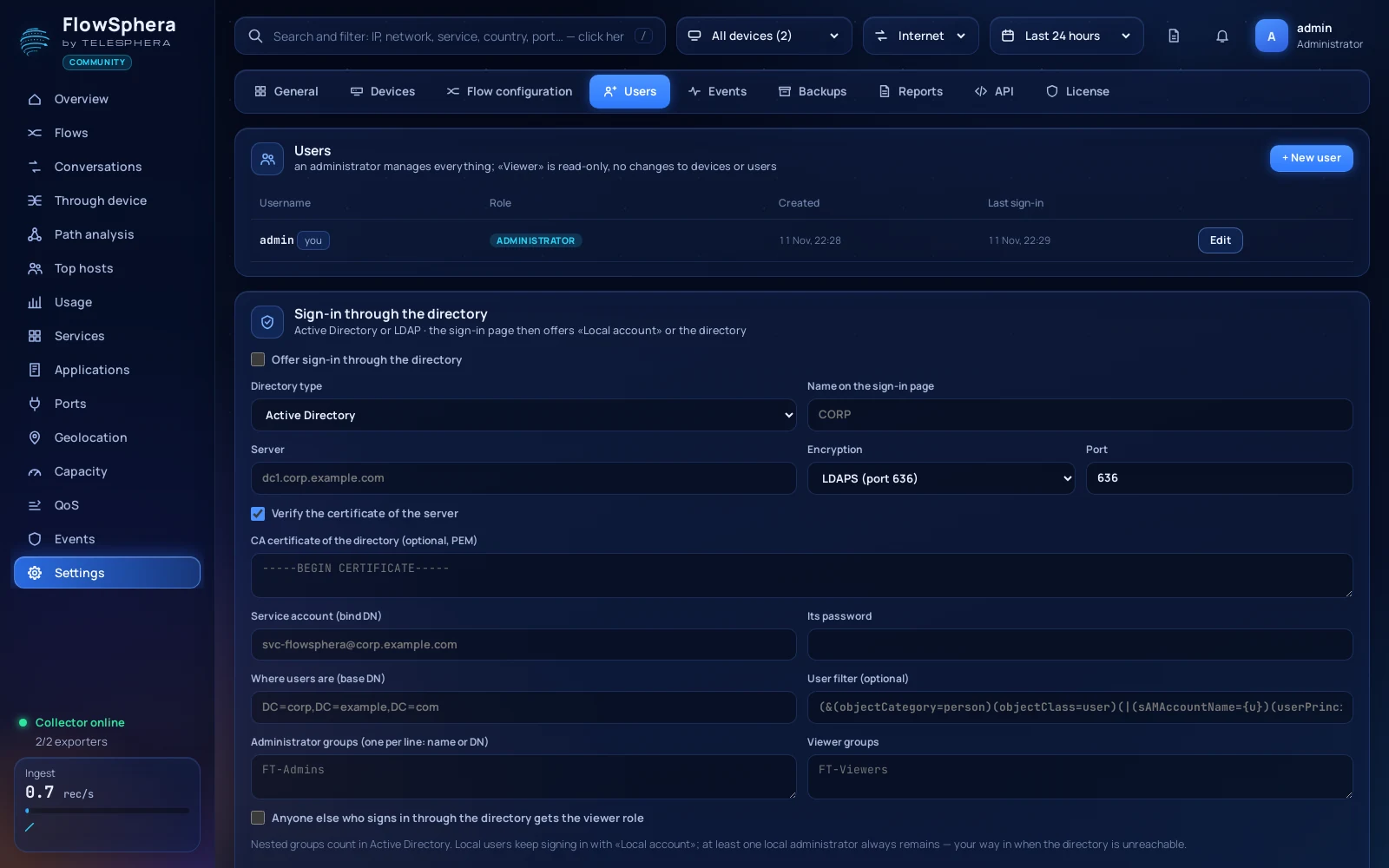
Settings → Users → New user: a name, a password and a role. An administrator manages everything; a viewer sees every page but changes nothing.
2. Sign in through Active Directory or LDAP
Below the users, Sign-in through the directory:
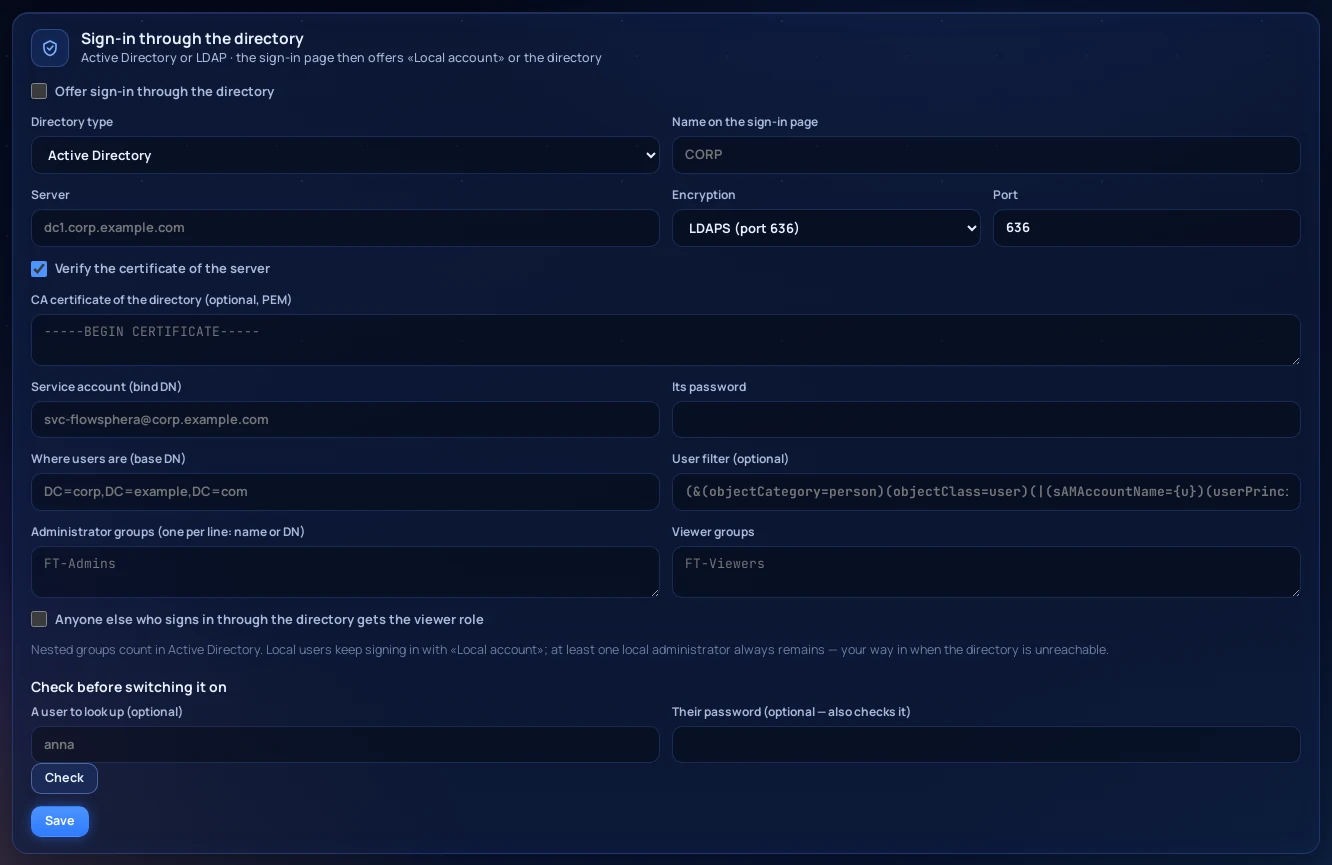
- Directory type — Active Directory or another LDAP server, and the name shown on the sign-in page (e.g. CORP).
- Server, encryption (LDAPS on 636 or STARTTLS) and port; keep Verify the certificate on, adding the directory's CA certificate if it is your own.
- Service account (bind DN) and its password — FlowSphera uses it only to find the user.
- Where users are (base DN) and, optionally, a user filter.
- Administrator groups and viewer groups — one per line, a name or a DN. Nested groups count in Active Directory.
3. Check before switching it on
Under Check before switching it on, enter a user (and their password to check it too) and press Check: FlowSphera shows what it finds — the account, its groups, the role it would get. Then tick Offer sign-in through the directory and Save.
The sign-in page then asks how to sign in — your directory or a local account. Local administrators keep signing in with Local account, so there is always a way in when the directory is unreachable.
Questions
Who gets which role?
Members of the administrator groups are administrators, of the viewer groups viewers; with «Anyone else gets the viewer role» every other directory user can sign in read-only.
Are directory passwords stored?
No. FlowSphera checks the password with the directory at every sign-in; only the service account’s password is kept, readable by the service only.