
Top hosts answers the first question about any network: who is using it? Every inside host with its volume, its share, its average rate and a trend, the biggest first.
1. Open Top hosts
The page shows a trend of the five biggest hosts, a ring with their shares and the table. A host shows the name you gave it under its address.
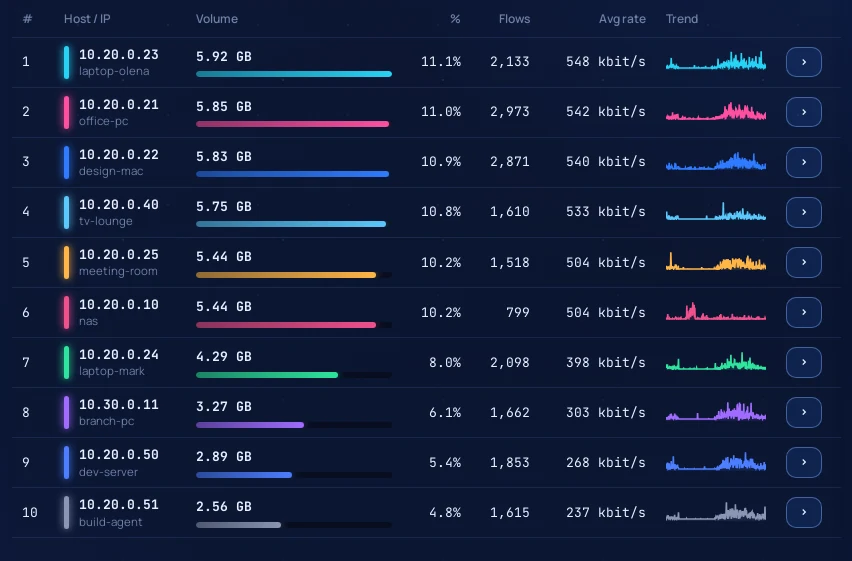
Click a row to filter every page by that host; the › button opens the host's card with its services, protocols and the places it talks to.
2. Switch to Networks
The Hosts / Networks switch above the trend groups the same traffic by network. You do not need to set anything up:
the networks are found from the addresses of your devices' interfaces — read over SNMP or typed in Settings → Devices —
with their own masks, so a /16 stays one network. Each row says which interface of which device it sits behind.
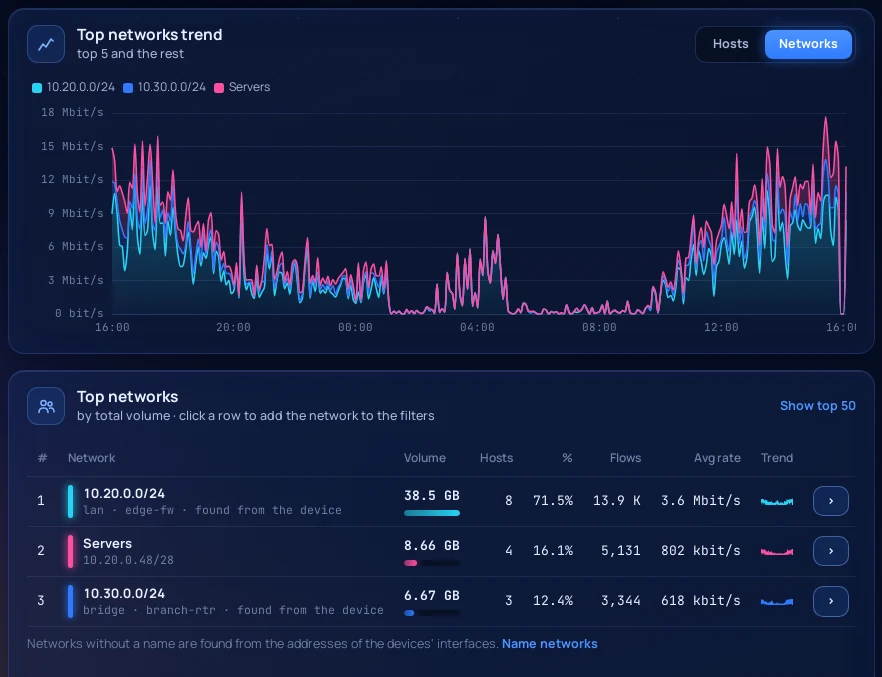
An inside address that no interface covers falls into its /24, marked a /24 guessed from the addresses.
3. Name your networks
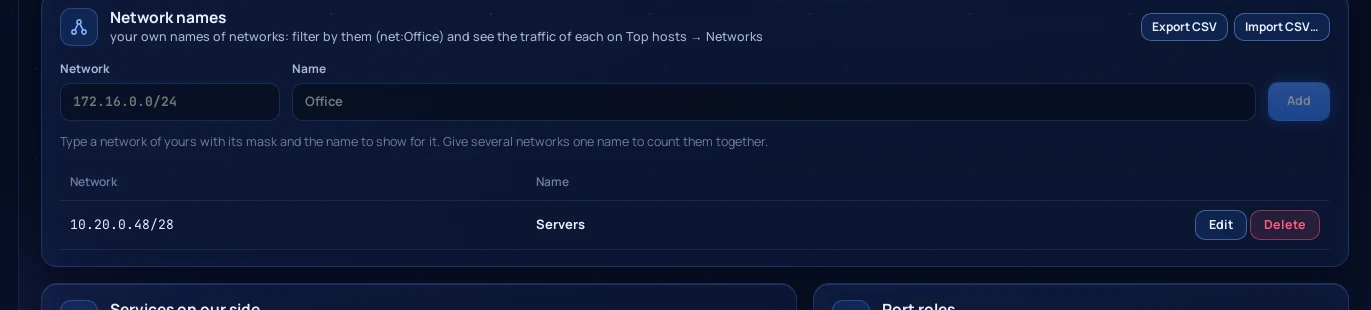
Open Settings → Flow configuration → Network names, add a row with the network and the name your team uses —
10.20.0.48/28 → Servers — and save. Named networks come first on the page, in the filters (net:Servers) and in
the reports.
4. Name your hosts
Settings → Flow configuration → Host names does the same for single addresses: 10.20.0.10 → nas. A name you give
wins over DNS everywhere — in the tables, the events, the notifications and the reports.
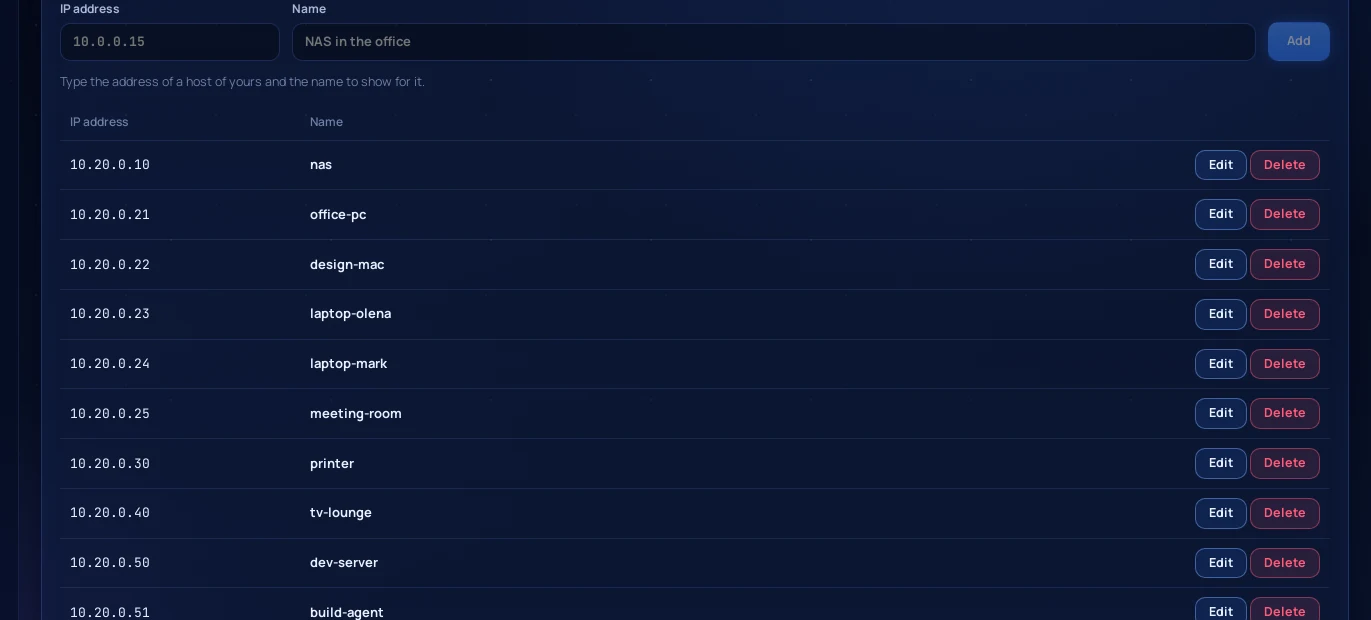
Many names at once? Export CSV, edit the file in any spreadsheet, Import CSV: FlowSphera shows what is new, changed and unreadable before anything is saved.
Questions
Why is a network shown as «a /24 guessed from the addresses»?
No interface address of your devices holds it. Switch SNMP on for the device (see the SNMP guide), type the interface addresses in Settings → Devices, or give the network a name.
Does a host keep its name if its address changes?
Names belong to addresses. For a host that must keep its name, reserve its address in your DHCP server.
Can I see one network’s hosts?
Yes: the › button of a network row opens Top hosts filtered by that network.