
All channels live in Settings → Events → Notifications, each on its own tab, each with Send from priority, the language of the messages and Send a test. A new event goes out once; what continues is not sent again.
1. E-mail — set up the mail server first
FlowSphera sends mail through your SMTP server: your own, Gmail or Microsoft 365 with an app password, or your provider's relay. Open Settings → General → Mail server: server, port, encryption (STARTTLS, SSL/TLS or none), login, password, the From address — then Send a test and Save. The same server sends the PDF reports.
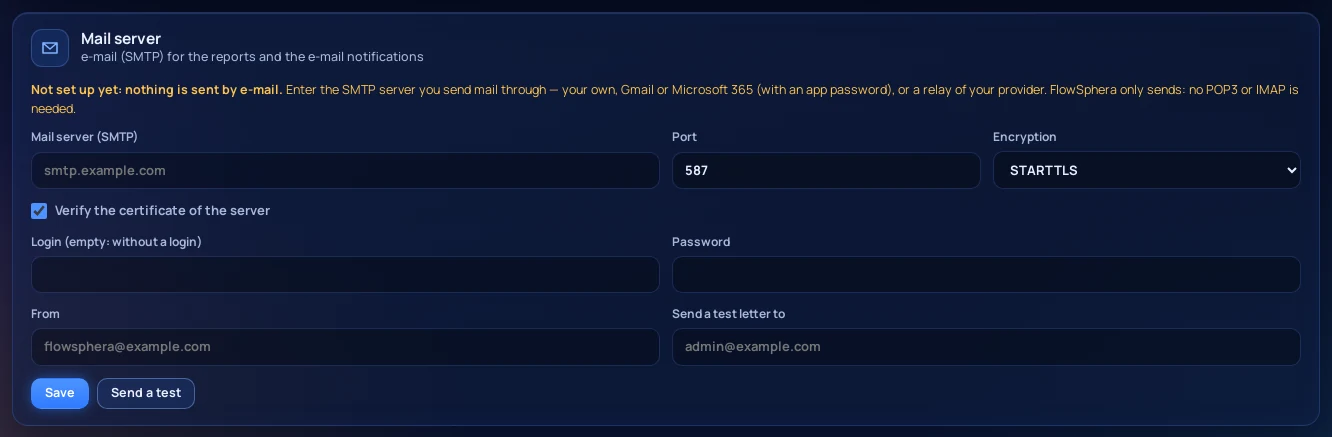
Then in Notifications → E-mail enter the recipients (comma-separated), the lowest priority to send and the language, and tick Send new events by e-mail. New events come as one letter per 10-minute check, to all recipients.
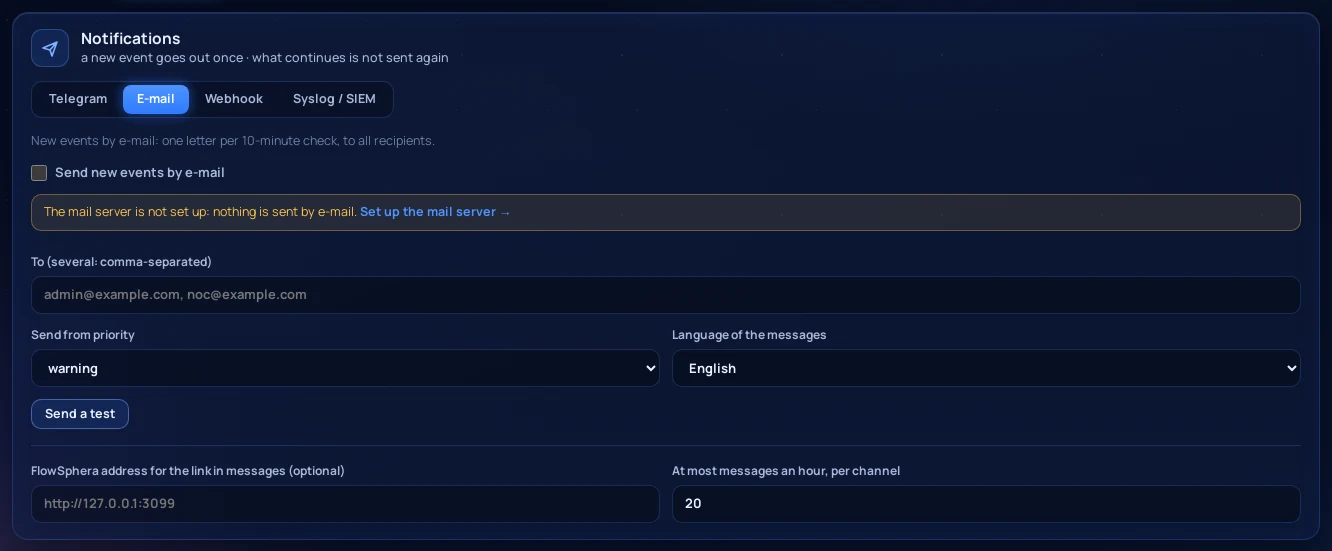
2. Webhook — Slack, Mattermost, Discord or your own system
Paste the incoming-webhook address and choose the format: FlowSphera JSON for your own system, or the message format of Slack, Mattermost, Rocket.Chat or Discord.
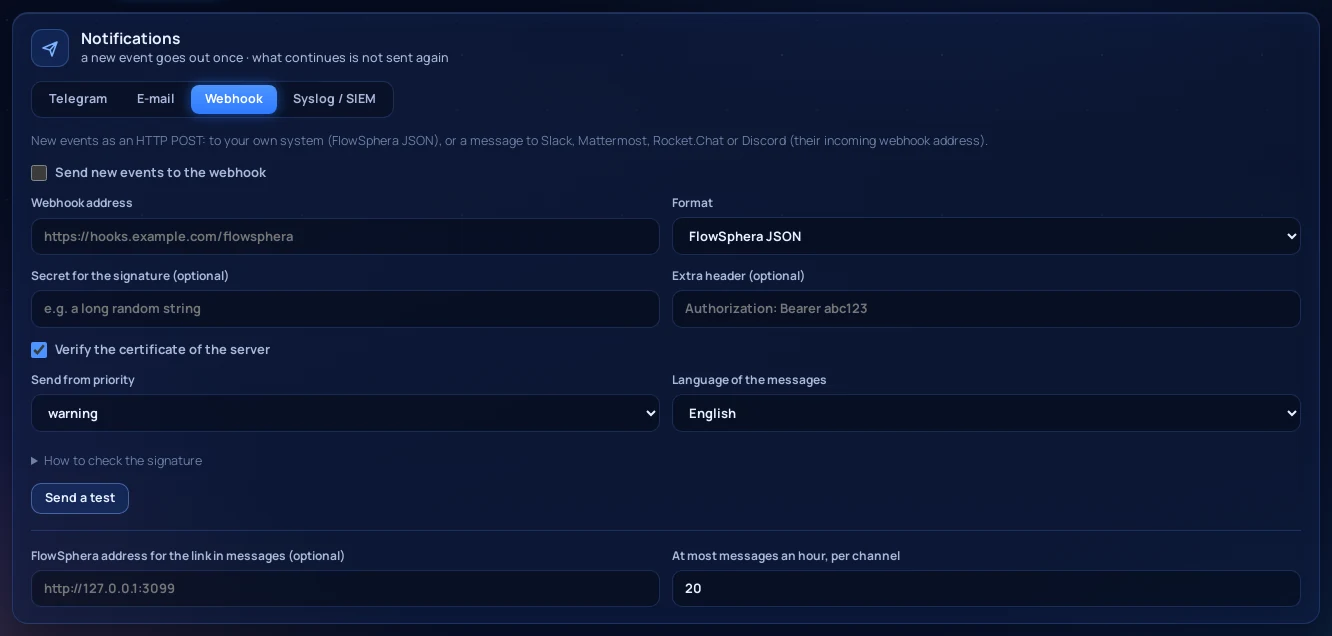
With a secret, every request is signed: the headers X-FlowSphera-Timestamp and X-FlowSphera-Signature
(sha256= HMAC of the timestamp and the body) let your system check it came from FlowSphera. An extra header — for
example Authorization: Bearer … — is sent as well.
3. Syslog to your SIEM
Every new event becomes its own syslog message (RFC 5424) in CEF (ArcSight, QRadar, Splunk, Sentinel) or JSON (Elastic, Graylog, Wazuh). Enter the server, the port, the transport — UDP, TCP or TLS — and the facility.
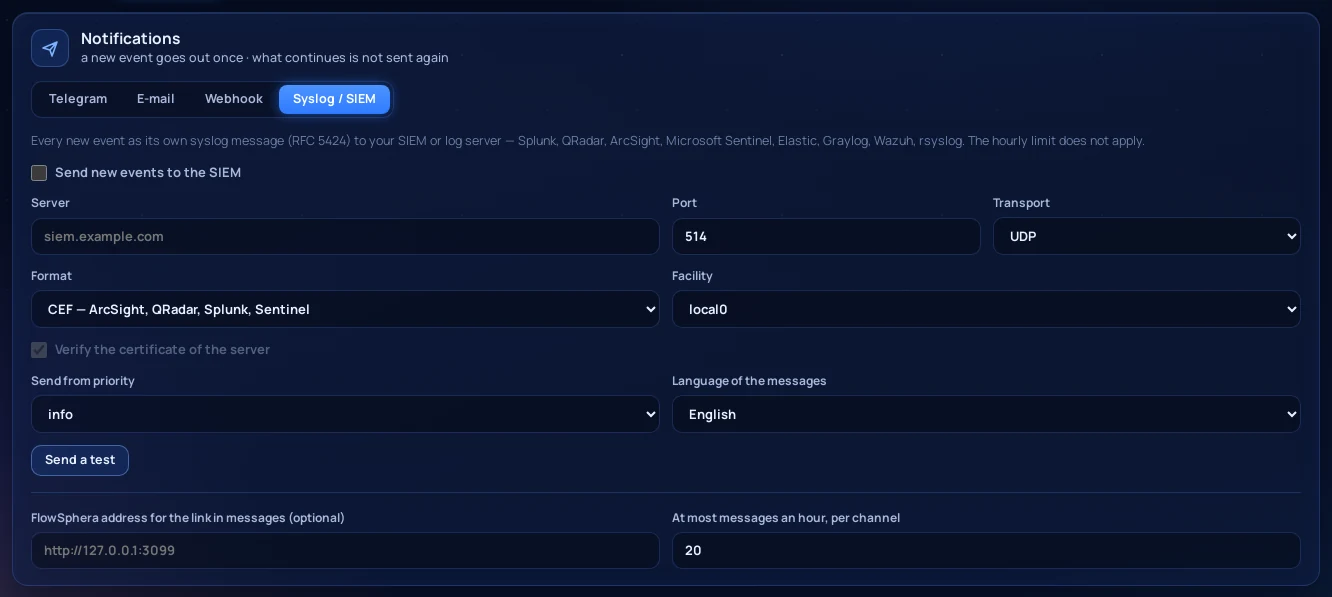
The hourly message limit does not apply to the SIEM: it receives every event.
Questions
Do I need POP3 or IMAP?
No. FlowSphera only sends mail, through SMTP.
Which events go to which channel?
Settings → Events → Detections has a column per channel: tick each kind on or off for Telegram, e-mail, webhook and SIEM separately.