
FlowSphera tells an administrator when a new version is published and upgrades itself from the web interface.
1. See that a new version is out
Twice a day FlowSphera reads the published version number. When a newer one is out, administrators see 2.x.y available in the top bar. A click shows what is installed, what is published and a link to what is new.
The same is in Settings → General → Updates: when it last looked, Check now, and the switch to turn the check off. Only the version number is read; nothing about your server is sent.
2. Upgrade now
Press Upgrade to 2.x.y and confirm with your own password. FlowSphera downloads the new version, upgrades the database and restarts its services — the same as the command below. The window shows the installer's log while it runs and waits for the web interface to come back; then Reload the page.
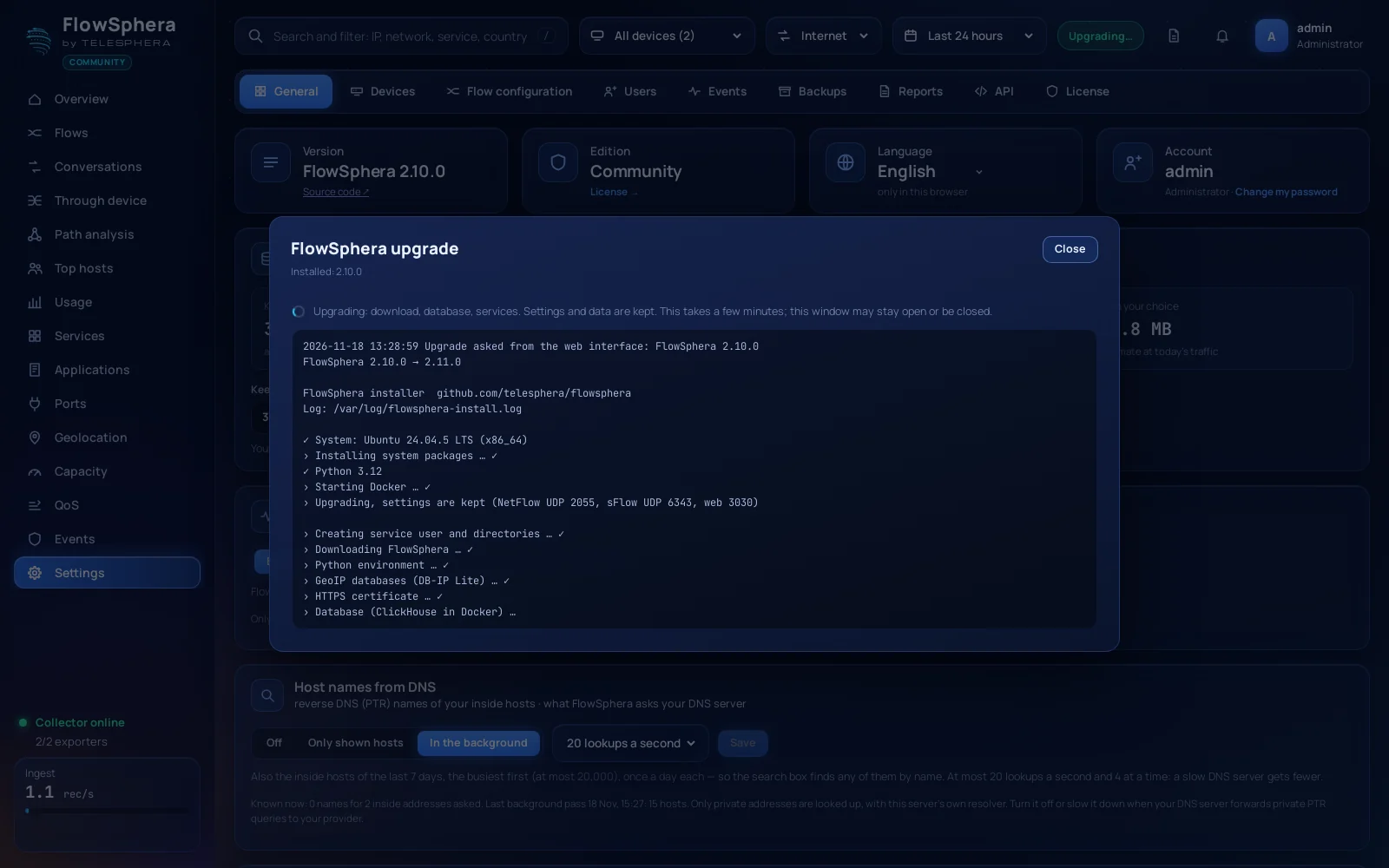
Settings, users, the collected flows and the license are kept. Collecting pauses briefly while the services restart.
3. Or with one command
On the server:
sudo flowsphera upgradeIt is the same upgrade. An installation learns the button with its upgrade to 2.11.0, so that one upgrade is still the command; afterwards both work.
If something goes wrong
The window says so and shows the log; FlowSphera keeps running the version it had. The log is also in
/var/lib/flowsphera/upgrade.log, the installer's own in /var/log/flowsphera-install.log. Run the upgrade again, or
the command, and write to [email protected] if it keeps failing.
Next: install FlowSphera · backups.
Questions
What does the version check send?
Nothing about your server: it reads the published version number from GitHub, where the installer comes from.
Is the data kept?
Yes. Settings, users, the collected flows and the license stay; collecting pauses briefly while the services restart.
Can I turn the check off?
Yes: Settings → General → Updates → Off, or FT_UPDATE_CHECK=0 in /etc/flowsphera/env for a server without the Internet.