
FlowSphera keeps every flow record for a number of days, and long-period totals that pages such as Capacity and Usage use. Settings → General → Data retention decides the days.
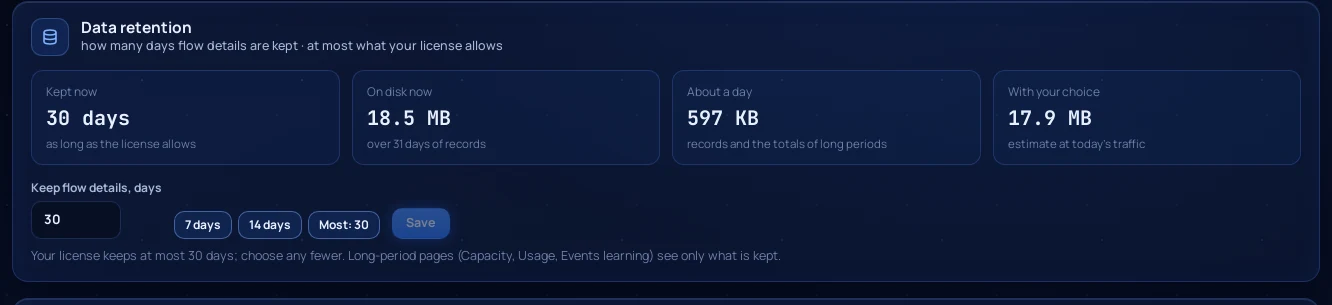
1. See what the data takes
The cards show how many days are kept now, what the data takes on disk now, about a day of records and long- period totals, and the estimate with your choice at today's traffic.
2. Choose the days
Type the number of days, or press 7 days, 14 days or Most. The most is what your license allows — 30 days on Community.
3. Save
More days apply to new records. Fewer days delete the older records — the collector does it within a minute — so they ask for your password first. The space is freed at once.
Records already stored keep their own term; pages over long periods see only what is kept.
Questions
How much disk does a day take?
It depends on your traffic — the card «About a day» shows it for your network. As a measured example, 216 million records a day (about 2,500 a second) took 9.7 GB.
Can I keep more than 30 days?
With a license: it raises the most you can choose. Every feature stays the same.