
FlowSphera backs itself up: the flow data and every setting — devices, users, names, events, reports, the license.
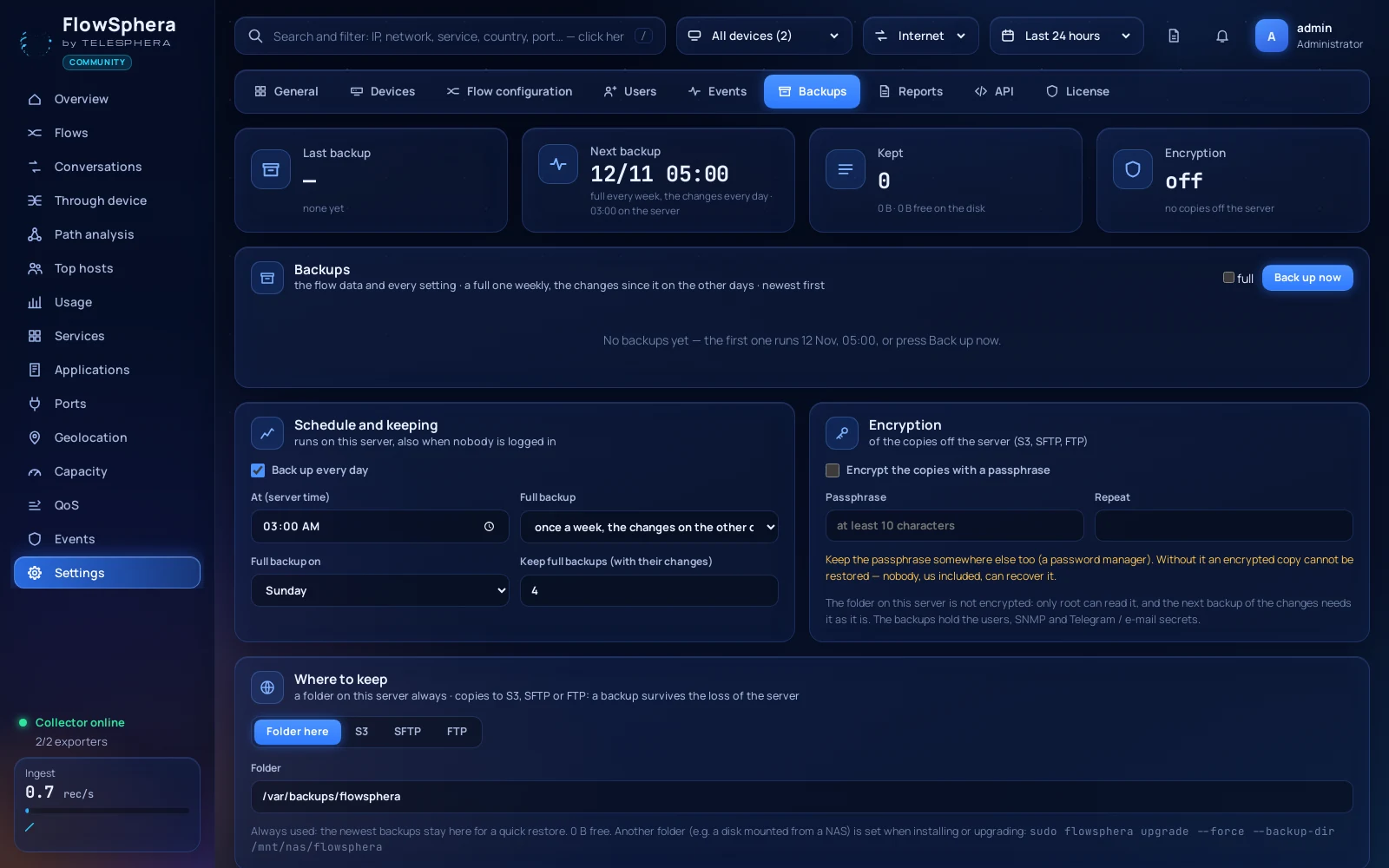
1. Check the schedule
Settings → Backups → Schedule and keeping: a backup every day at the hour you choose (server time), a full backup on one day of the week and only the changes on the others, and how many full backups to keep with their changes.
2. Keep copies off the server
Where to keep: a folder on this server always; add a copy on S3-compatible storage, SFTP or FTP so a backup survives the loss of the server.
3. Encrypt the copies
Tick Encrypt the copies with a passphrase (AES-256-GCM). Keep the passphrase somewhere else too — a password manager: without it an encrypted copy cannot be restored, by anyone.
4. Back up now, check, restore
Back up now makes one at once. Check compares every file of a backup with the database's list. Restore puts it back — on the same server, or on a brand-new one after a disk failure. On the server:
sudo flowsphera backup               # a backup now
sudo flowsphera backup list
sudo flowsphera backup verify ID
sudo flowsphera restore ID           # or --from s3 | sftp | ftp on a new server
After a power cut
FlowSphera opens the database by itself after an unclean stop, sums the long-period totals again from the records and reports it as an event: when the server stopped, what is missing, what was summed again.
Questions
Does a restore stop collecting?
For the time of the restore. The current data is set aside until the backup is in place and comes back if the restore fails.
Can I restore only the settings?
Yes: sudo flowsphera restore ID --only-settings (or --only-data).