
Conversations answers «who talks to whom» over any period: your hosts → the services they use → who owns the addresses outside. Its most useful card is New conversations: a host talking to an owner it had not talked to in the 7 days before — a new cloud service, a machine infected overnight, or data leaving.
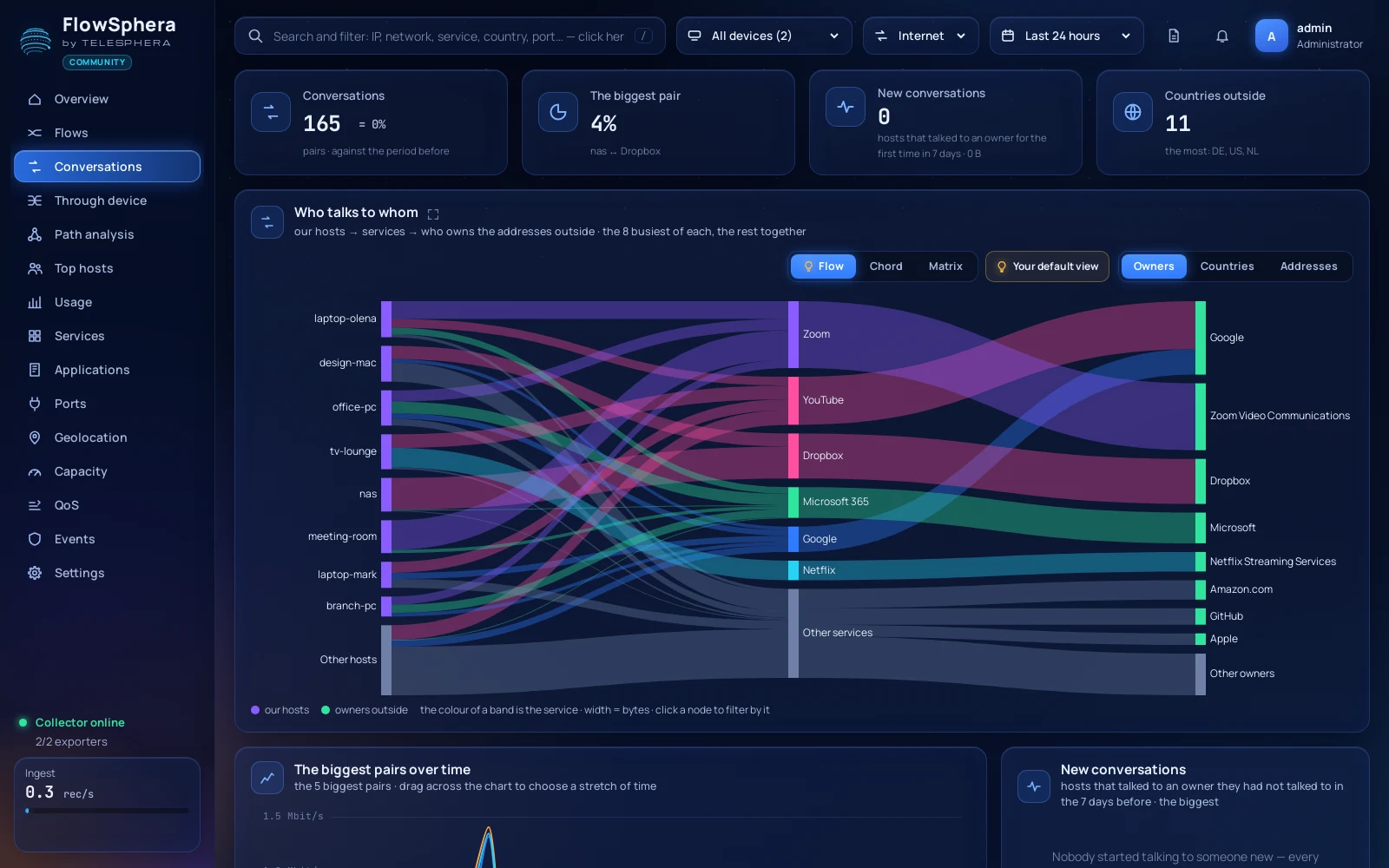
1. Read the cards
Conversations against the period before, the biggest pair, new conversations and countries outside.
2. Pick the picture
Flow follows the traffic from your hosts through the services to the owners outside. Chord shows the same as a circle — good on a wall display. Matrix gives exact bytes in a grid. The right side can be Owners (the network that owns the address), Countries or the Addresses themselves.
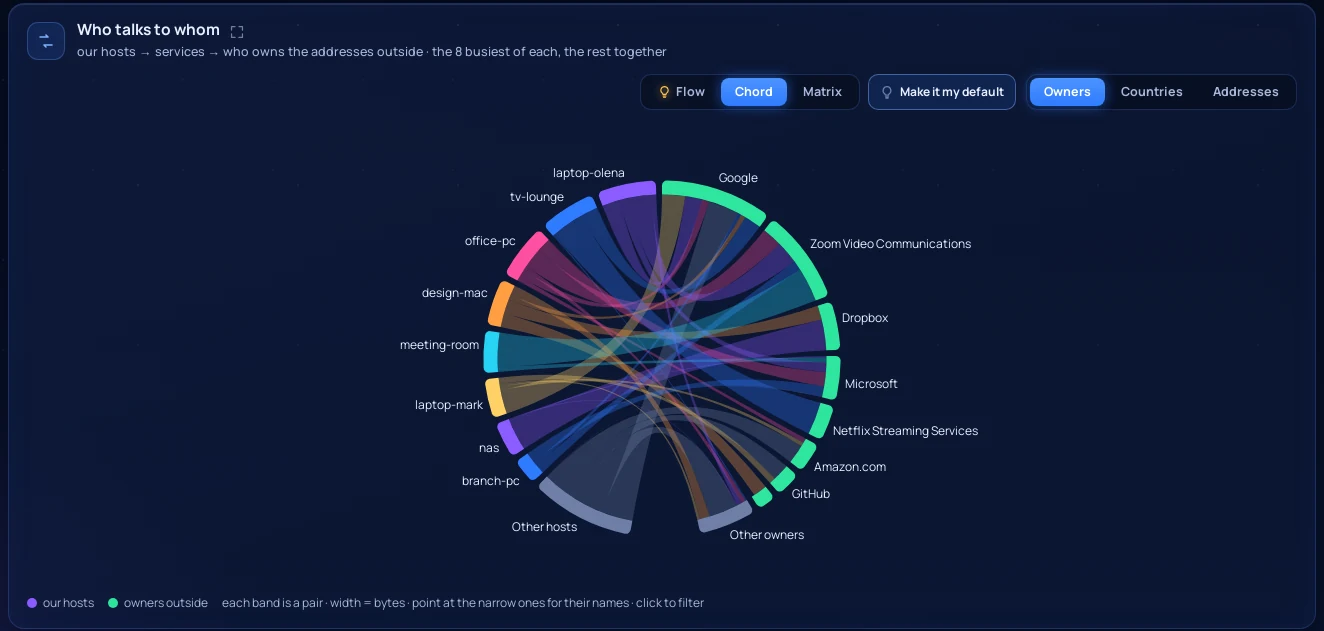
3. Look at the new conversations
Below the picture: the biggest pairs over time and the new conversations, biggest first. A pair that appears at night, a host suddenly talking to a country it never talked to — this is where to look.
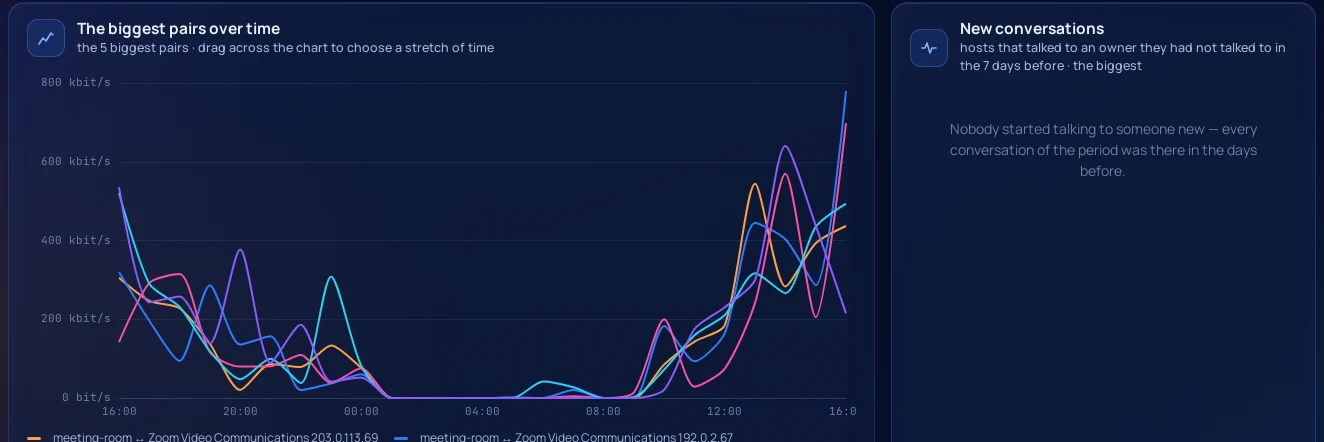
4. Search, filter, export
All conversations lists every pair with both directions; search it, tick Only new, or download it as CSV. A click on a pair filters every page by it.
Questions
What counts as a new conversation?
An inside host talking to an owner of addresses (an ASN, or an address without one) that it had not talked to in the 7 days before the period.
Why owners and not single addresses?
Cloud services change addresses constantly; counting by owner keeps «new» meaningful — by address half of all pairs looked new.
Does it show traffic between inside hosts?
Yes: switch Internet to Internal at the top of the page.