
FlowSphera's events — port scans, password guessing, floods, contact with malicious addresses, links running full — can reach you in Telegram the minute they start. They go through your own bot, so nothing passes through a service of ours.
1. Create a bot
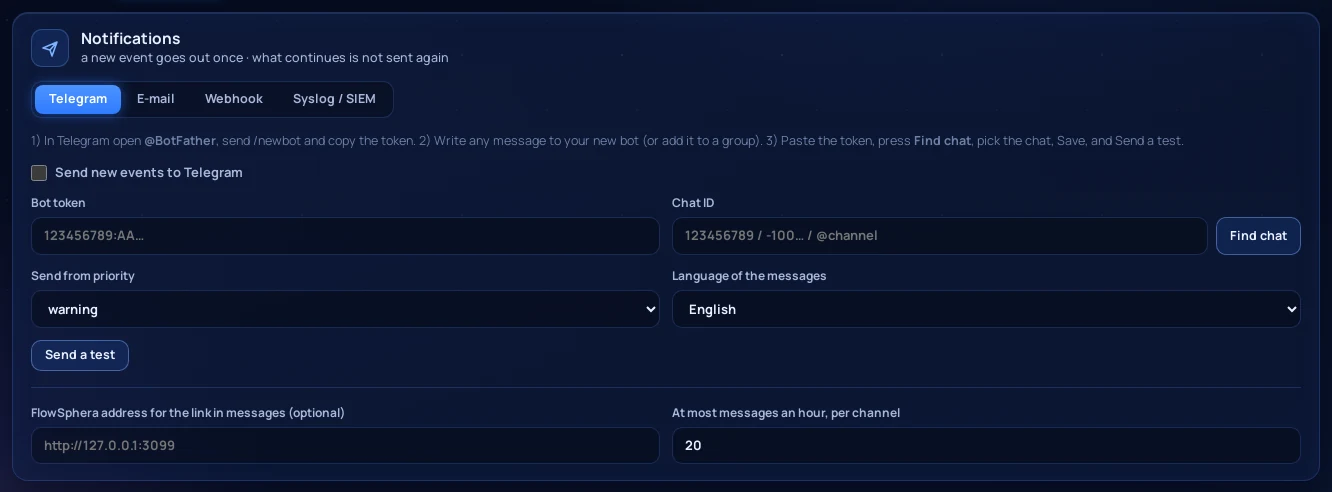
In Telegram, open @BotFather, send /newbot, give the bot a name and a username, and copy the token it answers
with — a line like 123456789:AA….
2. Write to your bot
Open your new bot and send it any message — or add it to the group your team uses. A bot can write only to chats that spoke to it first.
3. Paste the token and find the chat
In FlowSphera open Settings → Events → Notifications → Telegram. Paste the token and press Find chat: FlowSphera lists the chats that wrote to the bot in the last 24 hours; pick yours and its ID is filled in.
4. Choose what to send
- Send from priority — warning sends warnings and critical events; critical only the most serious.
- Language of the messages — English or Ukrainian.
- At most messages an hour, per channel — a cap for a noisy day; the events over it are counted in the next message.
Tick Send new events to Telegram, Save, then Send a test.
5. Pick the events
Each event kind can be switched on or off for Telegram on its own, with its priority and its thresholds, in Settings → Events → Detections:
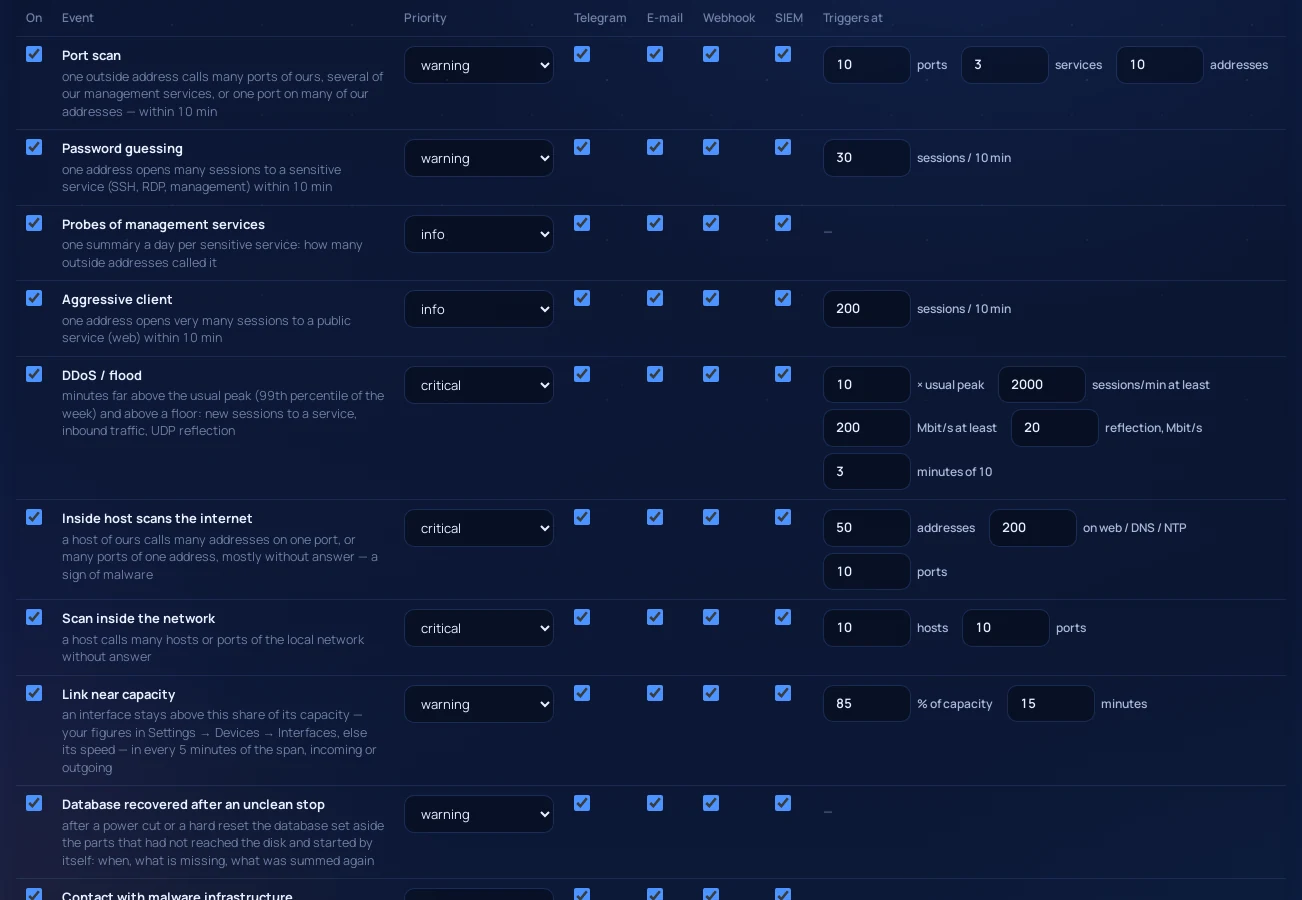
A new event goes out once; what continues is not sent again.
Questions
Does FlowSphera send my data to a third-party service?
Only to Telegram itself, through your own bot. The same events can also go to e-mail, a webhook (Slack, Mattermost, Discord or your own system) or your SIEM.
Find chat shows nothing.
Write a new message to the bot (or in the group with the bot) and press Find chat again — Telegram keeps the messages to a bot for 24 hours.
Can I get the alerts in a group?
Yes: add the bot to the group, write a message there, and pick the group in Find chat.