
FlowSphera 2.10.0 release notes
Your own event rules, a kiosk link for wall screens, events that open with every detail
FlowSphera 2.10.0 answers requests from the MikroTik forum and from a customer: events you define yourself, a link for a wall screen that needs nobody to click, and events that tell you everything when you open them.
Your own event rules
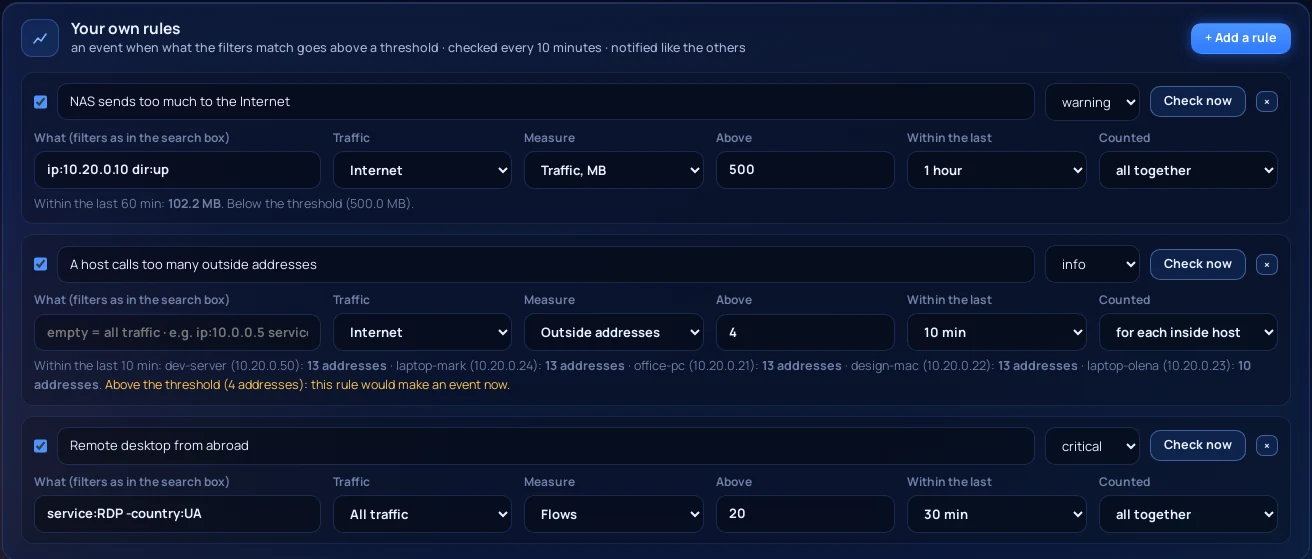
Write what matters on your network the way you search it: ip:10.0.0.5 dir:up sends more than 500 MB within an hour, service:RDP -country:UA makes more than 20 flows in 30 minutes, any inside host calls more than 300 outside addresses in 10 minutes. Each rule counts traffic, flows or outside addresses, for everything together or for each inside host, and has its own priority. Check now shows what it measures at this moment, before you save it. Rules are checked every 10 minutes and their events go to Telegram, e-mail, webhooks and your SIEM like the built-in ones.
On the wall, after every reboot
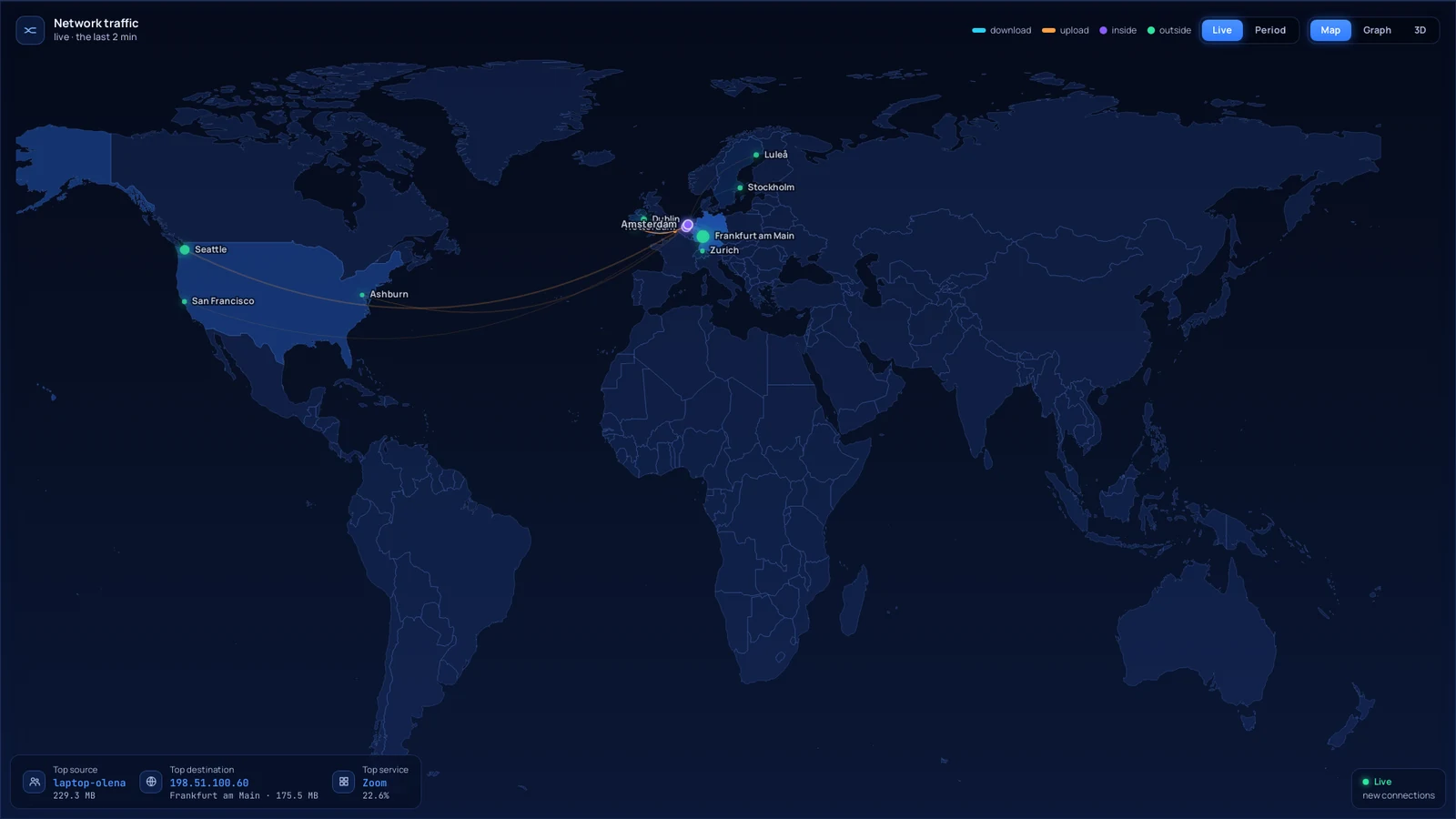
Open a panel full screen and press Link for a screen: the link shows that panel over the whole window, without the menu and the filters, and keeps refreshing. Start the screen's browser with it in kiosk mode and the NOC display comes back by itself.
Events that explain themselves
Click an event: the whole text, the device, both ends, where the outside end is, when it was seen — and Show the flows, the records behind it. The bell clears once you have looked.

Also
- Flows → Exchange opens full screen too.
- Multicast and broadcast (mDNS, SSDP, IPTV) no longer show under Internet.
How to: your own event rules · FlowSphera on a wall screen.
Upgrade: sudo flowsphera upgrade (settings and data are kept).